Microsoft Azure Concepts – Identity & Access

When we talk about Identity and Access what do we really mean?  For me, it boils down to who you are and what you are entitled to access.

Simple statement, but it does start to get rather complicated when you think about Identity Management.  If you think about your own organisation what directory service does it use? Probably Active Directory Domain Services (AD DS).  Think about how many years it has it been fine tuned with integration with third party solutions such as:

  • Remote access via RADIUS servers
  • Two factor authentication
  • Single sign on into applications
  • Synchronization of user accounts and groups into hosted web services for web filtering
  • Integration with software that provides corporate wide email signatures
  • Integration with software that provides automated provisioning and de-provisioning of users

The list does truly go on and on.  Most organisations will treat their on-premises Active Directory Domain Services (AD DS) as the one source of all truth for users, groups, permissions and passwords.

So that’s the on-premises bit, what’s this Azure Active Directory all about?

What is Azure Active Directory

According to Microsoft Azure ‘What is Azure Active Directory‘ homepage it is Microsoft’s multi-tenant cloud based directory and identity management service.  Great you say but what does that really mean?

The key is in the multi-tenant part, its a directory service built for Microsoft. It isn’t architected in the same way as AD DS, most of us are used to the terms Kerberos, NLTM and LDAP, well these aren’t available in Azure AD.  Instead Azure AD uses web centric language such as SAML 2.0, WS-Federation and OAuth2.0  More details on Azure AD Authentication Protocols can be found here.

For those among us who like facts and figures Azure AD Basic and Premium has an SLA of 99.95% and operates out of twenty eight of Microsoft datacentres.   With the object and metadata being held across two or more locations.

Noticeably Azure AD, doesn’t provide the same features set that we are used to with AD DS, for example group policy isn’t available.  Azure AD Join is out for Windows 10 devices which provides some enrollment and integration features into areas such as email, but again it doesn’t provide the rich feature set you would expect from your on-premises AD DS.

Microsoft are adding features continuously to Azure AD, so I’m sure things will progress and update in the near future.  This then leaves us with three choices when it comes to accessing cloud based solutions:

  • Separate
  • Synchronized
  • Federated

Separate

This is where you have a separate identify and access for your on-premises AD DS and Azure AD.

A user ‘John Smith’ has to manage his credentials for both on-premises access to applications via AD DS and different set of credentials for access to applications in Azure AD.

Azure AD Seperate v0.1

Synchronized

These are identities that exist on-premises in AD DS and in Azure AD.  Typically Azure AD Connect would be used to manage the password synchronization using hashing algorithms.  It uses a SQL Server database to store identity data, with the Express version enabling you to manage 100,000 objects.

Using AD Connect you will gain the on-premises password will authenticate both AD DS and Azure AD. Users will have single sign-on for an extensive set of pre-integrated SaaS applications.  At the moment 2,577 applications are pre-configured for Azure AD integration.

Azure AD Connect v0.1

Federated

Federated enables your on-premises AD DS to be the source of authentication into Azure AD and other cloud based resources or partner organizations.  Essentially it supports advanced scenarios that cannot be achieved using the synchronized deployment method for example your security policy prohibits password hashes being synchronized to the cloud.

It should be noted that it is higher maintenance, requires additional servers and extensive setup and redundancy to ensure users can authenticate.

Azure AD FS v0.1

Azure AD Free, Basic and Premium

Just to make things slightly more complicated, Microsoft have three versions of Azure AD, these are Free, Basic and Premium.

  • Free – This is the entry level option that doesn’t provide an SLA or company branding.  It does however give you the following:
    • Up to 500,000 objects
    • You have access to SSO applications using the 2,577 Azure AD pre-integrated SaaS applications
    • Ability to extend on-premises AD DS into Azure AD
    • Self Service Password Changes for Azure AD users
  • Basic – This is the first paid for option which extends the free features by including:
    • No object limit
    • 99.9% SLA
    • Company branding for login pages and access panel
    • Self Service Password Resets for Azure AD users
  • Premium – This is the top option, which extends the Basic features by including:
    • Self service group management
    • Self Service Password Resets with on-premises writeback
    • Multi-Factor Authentication
    • Self service Bitlocker recovery

Final Thoughts

Azure AD is a web scale directory that provides SSO and integration with SaaS and on-premises directory structures and applications.  It is maturing all time with the inclusion of new features on a regular basis.

In the next article I will look at Availability Set concepts, see you in the next installment.

Microsoft Azure Concepts

AzureI seem to be spending more and more of my time on Microsoft Azure, so thought it would be a good idea to start a blog series on Azure Concepts to provide an overview of the following:

  • Identity and Access
  • Availability Sets and Patching
  • Storage
  • Virtual Machines
  • Network Connectivity
  • Hybrid Cloud
  • Disaster Recovery

What is Microsoft Azure?

So the first question is what is Microsoft Azure?  The best explanation that I could find is from Wikipedia

“Microsoft Azure is a cloud computing platform and infrastructure, created by Microsoft, for building, deploying and managing applications and services through a global network of Microsoft-managed and Microsoft partner hosted datacenters. It provides both PaaS and IaaS services and supports many different programming languages, tools and frameworks, including both Microsoft-specific and third-party software and systems”

For me, the part which is missing from the above statement is “providing resources on demand on a pay as you go basis”.

Scale

To give you an idea of the current scale of Microsoft Azure, I thought it would be fun to share a few facts:

  • Microsoft Azure operates in 21 different regions
  • Microsoft Azure recieves over 90,000 new customers a month
  • 1.4 Million SQL Databases are held in Microsoft Azure
  • More than 50 Trillion storage objects in Microsoft Azure
  • Over 425 Million Azure Active Directory users
  • 3,200 Azure Marketplace applications are available

Trying to keep up to date in all things Microsoft Azure is a full time job.   To make things slightly easier Microsoft offer a Cloud Platform Roadmap which enables you to see the upcoming applications, services and infrastructure items.

Final Thought

Microsoft Azure is complicated, you often have a number of ways to achieve the same end results. Hopefully this upcoming series of blog posts will provide you with the concepts that underpin Microsoft’s cloud service offering.


VMworld – A First Timers View

This is a guest blog post by one of my work colleagues Craig Bramley covering his first time experience at VMworld 2015.  Hope you enjoy it!

VMworld 2015

I was a newbie when it came to the VMworld events, and after hearing all the positive feedback from colleagues who have attended these events in the past, I was intrigued to say the least.

So, when I was approached to provide a blog post on my personal experiences at the 2015 European VMworld event held in Barcelona, as you can imagine, I jumped at the chance.

Hopefully, the following paragraphs will give you an insight into VMworld events if you haven’t attending them before, as well as provide a few helpful pointers.

Transportation

For attendees flying into Barcelona, there is a shuttle service to the venue. This is extremely handy. A good tip is to look out for the VMworld signs which are held by VMworld staff. They are not easy to spot, and they can be some distance from the arrivals exit, so don’t despair if you don’t immediately see them, keep walking and looking. Bear in mind that no shuttle service is offered from the Hotels, so make sure that Taxi fares are accounted for. If you are OK on the Metro, then you can collect a free Metro pass from the information desk at the venue which gives you 10 trips – I found this extremely useful because the queues for the Taxis can be absolutely gigantic.

VMworld Barcelona!

I knew VMworld was large, I mean, I heard the crazy stories, but I was not prepared for the sheer magnitude of the event. It is vast! The VMworld venue is Fira Barcelona Gran Via, which is a conference centre located just outside Barcelona City. To give you an idea of the size we are talking about here, the hands on labs alone takes up 45,000 Square feet and that is tiny in comparison to the other areas – like I said, vast! So, expect to walk around 10,000 to 16,000 steps a day at the event – (according to my colleagues Fitbit). That being said, Keep hydrated with water, this is provided free all day long, along with Coffee, Tea, various snacks and fruit from the many stations dotted around, and of-course don’t forget those comfortable shoes – you will thank me later.

Inside the venue with Craig Kilborn and I

VMworld staff are a plenty, you’ll see them in their recognisable VMworld T-Shirts, so don’t panic if you get lost or confused, you can either ask one of them for assistance, or use the many maps and information boards – I did ask (against my male instinct) as the maps can be confusing.

Map and information board showing session times

Once you are inside the venue, there are various halls, breakout areas, your mind will be literally boggled by all the big screens and bright lights. Luckily I had veteran VMworlders with me, but if you haven’t, I imagine that it can be a little overwhelming. Again, just ask if you aren’t sure.

Fellow VMworlder Craig Kilborn, beating me at pool, 3 times.
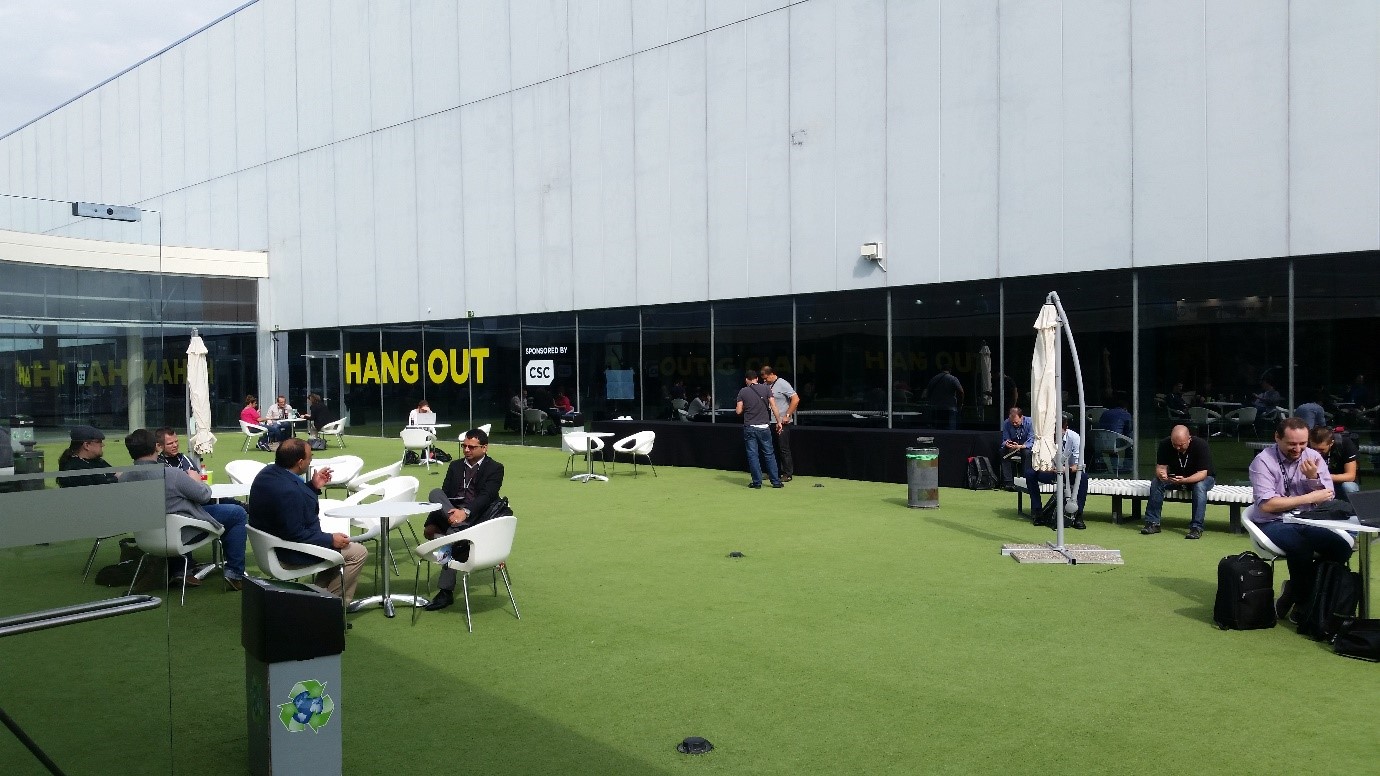
One of the outdoor hang areas
The Indoor hang space with pool tables and table tennis tables

Food

The food was amazing, I can’t comment on previous years but everyone I spoke to agreed that the food was great, and much improved on past events. There are large food halls, and food stalls located around the venue, serving many different types of food which I imagine caters for everyone, which is a good thing when attendees are attending from 88 different countries. There are seating areas, but if you can’t locate a table or chair (expected when there are +25000 attendees), just ask to sit at an occupied table, if there is space, people are welcoming and it won’t be a problem. If there isn’t space, don’t worry too much, as you tend to find people are happy to hang around and relax in the hallways, networking with fellow attendees while grabbing a bite to eat. In fact, I met quite a few new people while standing around eating.

Communication

I made a huge mistake. That mistake was to assume that my mobile phone would work in Spain. I have the correct plan at the end of the day, it says it will work, so it should right? Wrong! I didn’t realise that I had to call my provider prior to travelling for them to unlock my international outgoing calls, which requires a provider code to do so. So now, I am in Barcelona and in order to make calls I need to make a call?? I can’t even call the provider, as my phone can’t make calls! Strange process, but something to be aware of. It is always the little things that we overlook at the end of the day.

At the venue, there is Wi-Fi throughout, but bear in mind you are one of +25,000 attendees, all trying to log on and browse. This can only lead to one thing, intermittent performance. So if internet access is absolutely critical on your visit, bear this in mind too.

Solutions Exchange

The solutions exchange is the vendor area. This is a huge hall, crammed wall to wall with bright, shiny objects and vendor representatives who are eager to explain why their solution is better than the competitions. So eager in fact, that they entice you on to their stands with weird and wonderful freebies, anything from USB drives, to flashing bouncing balls, remote control helicopters, prize draws and logo embezzled T-Shirts are on offer in return for your time.

This is a very busy area and all joking aside, it is extremely beneficial, as we do not always get the chance to meet up with vendors back in the real world if they are not on our preferred partner lists. This gave me the chance to demo products, and get to know what other optional solutions are available to us. Some amazing solutions were on show, I really enjoyed this area (and some of the freebies).

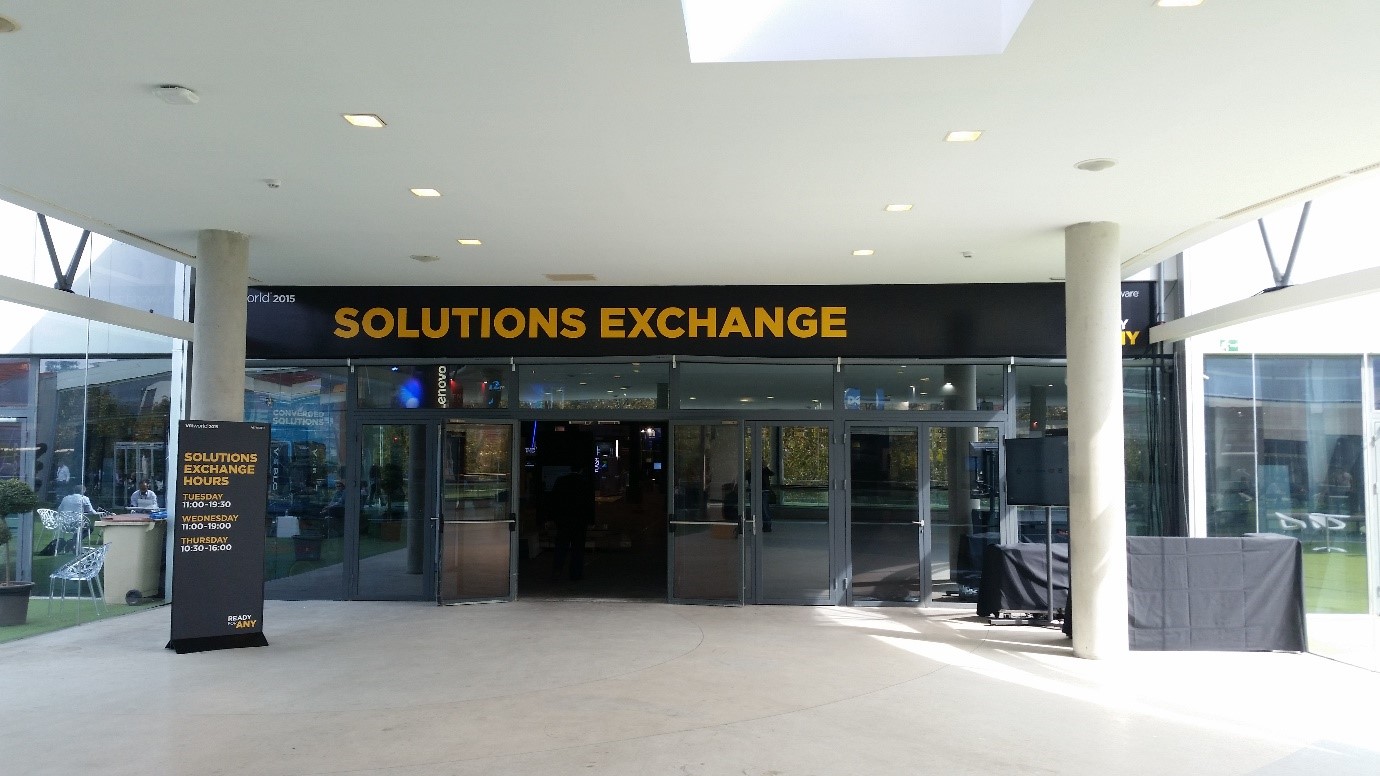
The Solutions Exchange Main Entrance

Vendor Parties

Vendor parties are held every evening, with free food and drink at various local restaurants, bars and nightclubs. The choice is endless, and these parties are a very easy way to network with colleagues, and meet other IT industry representatives. However, be aware that late nights, involving free alcohol and lots of dad dancing can be fun – until you have to wake up early the next day! So, take it easy, it will be a long week if you feel terrible.

The VMworld party was headlined by Faithless, to give you an idea of the quality and scale of some of these parties.

Veeam Party with Craig Kilborn, a very green event!

Overall

Overall, I enjoyed my VMworld experience. Some advice I would give to anyone that is attending in 2016, along with all the advice throughout this post, is to download the VMworld App and register for sessions in advance.

The sessions get full, and if you haven’t registered, you have to queue, keeping your fingers crossed that the door staff can find space for you. I saw a lot of people being turned away, and if you came from overseas to see a particular session, it’s a long way to come to risk being disappointed.

I attended various sessions which covered areas around workforce mobility and EUC, VSAN, Hybrid Cloud, Horizon View, Horizon AIR and vRealize Automation which are all areas of particular interest to me. That being said, I can’t stress how important the social side of VMworld is, so don’t register for too many sessions and never get time to meet anyone / talk to vendors.

The general sessions take place every morning and cover various topics but there was a lot of aspect on application mobility, end user mobility, containerisation, SDDC and Hybrid Cloud.

As well as the usual technology topics, this year’s key notes was dominated by the Dell / EMC Merger, a merger that had been confirmed days before I attended the event. Michael Dell made an appearance – which is a big deal!

Well done VMworld on a great event.

Azure Site Recovery – What’s Coming Next?

AzureI’m sitting at London Heathrow Terminal 3 with a little bit of time on my hands before heading out to Virtualisation Field Day 6. So thought I would share a quick blog post around some news that I may have heard (cough) which are coming up in Azure Site Recovery.

  • Lower total cost of ownership using vSphere to Azure Site Recovery with a PaaS model
  • vSphere to Azure Site Recovery test failover support
  • vSphere to Azure Site Recovery integrated fast failback
  • vSphere to Azure Site Recovery compression support
  • vSphere to Azure Site Recovery preview portal integration, along with with RBAC and PowerShell
  • All failure scenarios enabled for the IaaS CSP model
  • SQL Always On Native Integration

Microsoft are knocking it out of the park with this upcoming update, the ability to perform a test failover and integrated fast failback are great steps in the right direction.

Virtualisation Field Day 6 – Quick Preview ZeroStack

ZeroStack-LogoI have been invited to a number of Virtualisation Field Day (sorry have to spell it the correct way) by Stephen Foskett, but for one reason or another things didn’t work out at my end.  The stars have aligned and I’m pleased to say I will be attending VFD 6.

All of the companies that are presenting are new to me, which makes things a lot more interesting, as a tech we like shiny new things!  The last one is ZeroStack.

What Do They Do?

According to the strap line on the website it’s ‘Zero Ops. Complete Stack. Your Cloud’.

ZeroStack provides an on-premises hyperconverged system running KVM using OpenStack as a management layer. The hyperconverged system comes as a 2U node consisting of four servers providing 32 cores, 128GB of RAM, 4TB SATA and 1.6TB SSD drives  The on-premises system then extends into cloud by utilising the ZeroStack Cloud Portal.  To be honest I’m not sure what this means, does it allow you to provision and automate VM’s in Azure, vCloud Air and AWS or just to see them as consumers of resources via a single portal?

Whatever it means, ZeroStack has some extremley smart people working for them, including Ajay Gultai, previously of VMware, where he lead the design of DRS, Storgae DRS and Storage I/O Control.

ZeroStack is an early startup, emerging from stealth at the end of August 2015.  They have started some initial sales directly customers and are beginning to engage with the channel.

Personally, I’m interested in what sets ZeroStack apart from other hyperconverged providers such as Nutanix and SimpliVity.   Tune into Virtualisation Field Day 6 to find out more!