VCP5-DCV Delta Passed

VCP-DCVAfter receiving a friendly reminder from VMware that my VCP5-DCV was due to expire in December, my first thoughts was to take the VCP6-DCV exam, but with less than two months to go and a busy schedule for the rest of the year, I decided to take the easy option and opt for the VCP550 delta exam.

Seeing that the closing date for the exam was 30th September and the fact that I had a spare hour, I sat the exam on 26th September.  A quick flick over the exam blue print and there was mention of VSAN and vCOPs.

I dusted off my Essential VSAN and VMware vCenter Operations Manager Essentials books and downloaded the Whats New in VMware vSphere 5.5 Platform pdf.  I was ready time to click proceed.

The exam itself was a lot tougher than I expected, but I guess that’s because it is focused towards administration and my daily job is around design.  After around forty five minutes I received a ‘congratulations’ you have passed.
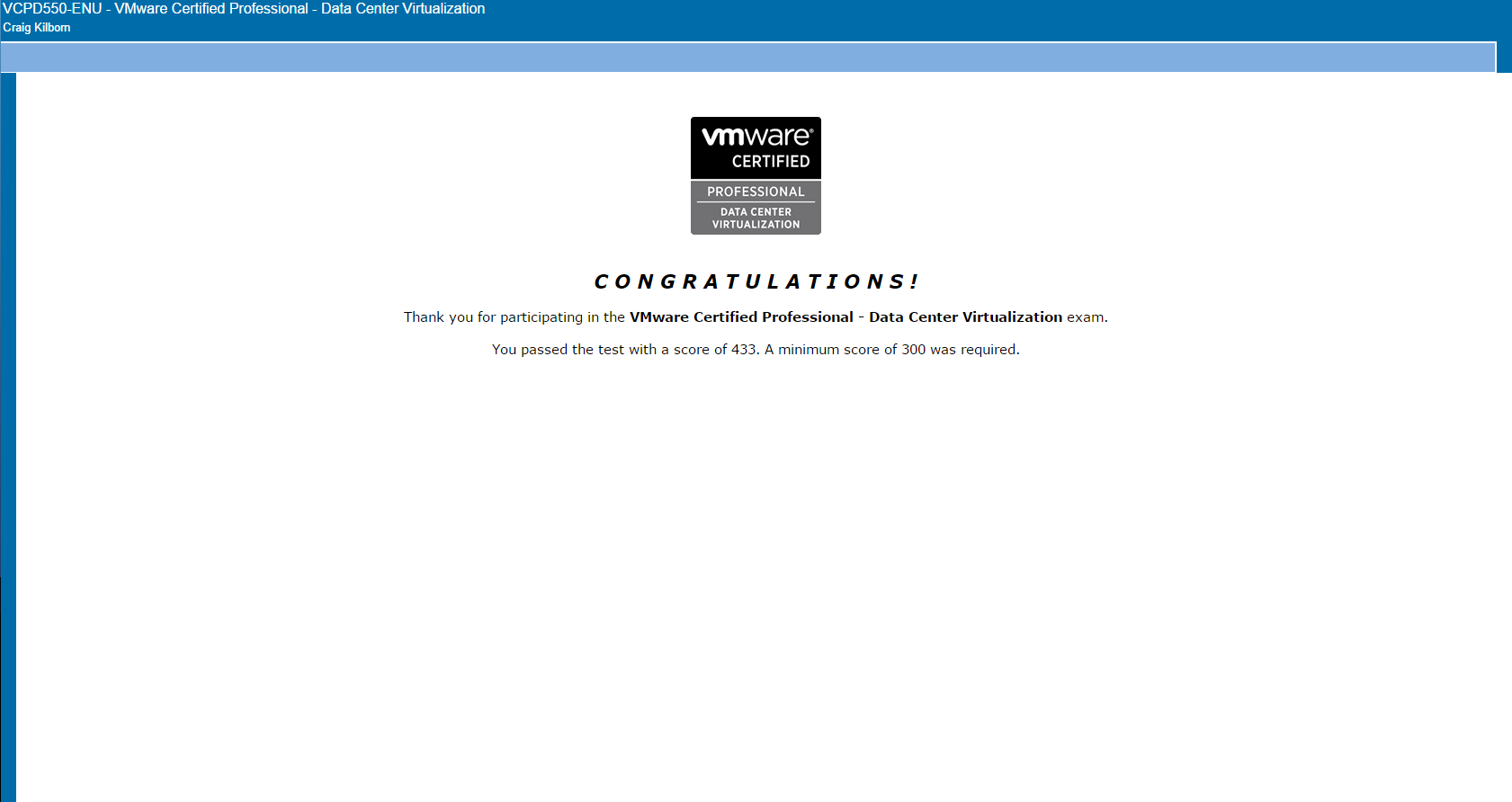
VCP 550 Delta Pass

The purpose of this exam was simple, to give me some breathing space before I attempt the VCP6-DCV.

As with all things, the day after I pass the exam, VMware announce that the VCP550 delta exam is to be extended until 31st December 2015.  If I had known this then  might have taken some time out to prepare, but I guess a pass is a pass.

VMworld 2015 Announcements – In a Nutshell

vmworld2015-logo-blackThe excitement of VMworld 2015 is upon us, and below are the key announcements.

Naturally, we will need to dig a bit deeper to understand the technology in more detail along with the limitations and costs.

  • VSAN 6.1
    • 2 x Node Cluster Supported
    • vSphere Metro Storage Cluster Supported
    • Windows Server Failover Clustering Supported
    • vROPs Integration (not sure if a management pack is needed)
    • vSphere Replication Enhanced 5 Min RPO

This answers a lot of use cases for me, especially the 2 x Node Cluster and vMSC support.

  • VMware Hybrid Cloud
    • Support for Layer 2 Networking Extension
    • Encryption over the WAN and optimisation
    • Cross Cloud vMotion (on-premises to vCloud Air)

Layer 2 is key here as a lot of customers have apps that break if you change subnets.  Zero downtime is pretty decent as well, however you still need to design for user access to applications and services in vCloud Air.

  • SRM 6.1
    • Metro Stretch Clusters, ability to live migrate across vCenters.  Think vMSC but with control for test and planned failover.

Another key enhancement here, lots of campus type customers such as Universities and NHS Trusts will look into this more deeply..

  • VAIO (vSphere API’s for IO Filtering)
    • Enables third party data services to intercept IO and optimise before hitting storage.
    • Initial use cases are caching and replication
    • Works with VMFS, Virtual Volumes and VSAN

Although VAIO was announced at VMworld 2014.  We should start to see some practical use-cases.  My best guess is that we will see in-memory optimisation for IO, same as Atlantis but without the need for a separate appliance.

Cisco UCS Platform Emulator – ‘Slot ID Must Be A Range In The Format [a-b]’

This is another quick blog post to help anyone using the Cisco UCS Platform Emulator and is configuring a chassis or blade and runs into the error message ‘slot ID must be a range in the format [a-b]’

UCS Error01The [a-b] is misleading, however you do need to enter details in a specific format for it to be accepted by the Cisco UCS Platform Emulator.

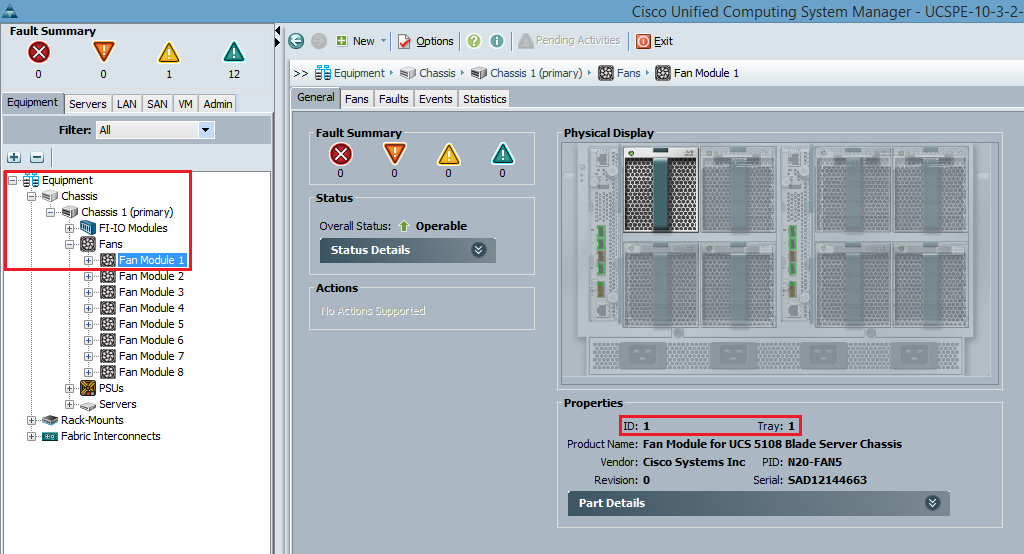
The easiest way to do this is to jump onto Cisco UCS Manager and expand the component you are trying to add and check the properties of the item.

In the above case, I’m trying to add fans to a 5108 Chassis. So I have drilled down to the component and checked the format of the ID and Tray.

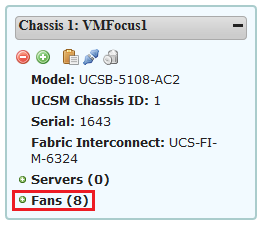
UCS Error02The format to enter the fans in is 1-1 or if you want to populate all 8 at once enter 1-8.

UCS Error03To give another example, I want to configure a Cisco UCS B200 M4 Blade and want to add in Intel(R) Xeon(R) E5-2650 v3 2.30 GHz 105W 10C/25MB Cache/DDR4 2133MHz.  The format for this is 1-2 which represents the CPU slots.UCS Error04

Cisco UCS Platform Emulator – Unable to Launch UCS Manager

This is a quick blog post to help anyone who is setting up and configuring Cisco UCS Platform Emulator for the first time and is staring blankly at a screen wondering why they have no ability to launch UCS Manager.

Problem Statement

Connecting to the VIP Address of the Cisco UCS Platform Emulator, you are unable to launch UCS Manager.

Cisco UCS 01

Solution

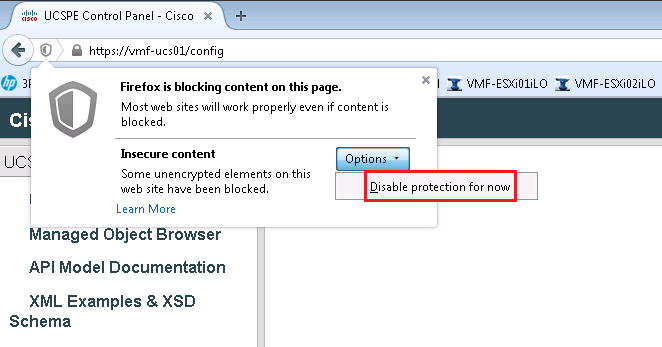
Cisco UCS Platform Emulator works under the premise of secure and un-secure context and therefore is blocked by FireFox.

Select the ‘shield icon’ in FireFox

Cisco UCS 02


Click Options

Cisco UCS 03

Select ‘Disable Protection Now’

Cisco UCS 04


Refresh and you can now Launch Cisco UCS Manager

Cisco UCS 05