 For those of you who have read my VCAP5-DCD: Passed post, you will have gotten an insight into what I do for a living which is pre-sales focusing on infrastructure design. The process I used to pass the VCAP5-DCD isn’t one that I would recommend as I relied heavily on my day to day experience.
Wind forward to the VCAP5-DCA, administration of vSphere environments is something I simply don’t do. Normally it’s design, maybe configure and install but never administrate. To be fair I wasn’t even sure if I would attempt the exam as it would be a steep learning curve.
Why VCAP5-DCA?
So why did I put myself through the ordeal of studying for the VCAP5-DCA? Well this had a lot to do with a colleague of mine Steve Wenban @stevewenban79. When I joined SCC, Steve had already passed his VCAP5-DCA and VCAP5-DCD and wanted a second pair of eyes to check his design, implementation guide and operational procedures. He had heard via the ‘jungle drums’ that I knew my ‘vSphere onions’ and got in touch.
Firstly, I was honored that he felt I was capable of reviewing his documents, however I wasn’t sure what value I would bring to his design as at this point I was only a VCP (not knocking this achievement). My designs had been successful but I hadn’t had the opportunity for peer validation in my previous role.
Reviewing Steve’s VCDX documents, it was clear he really knew vSphere inside and out, but it also dawned on me that I knew a lot more than I first realized. Steve and I went over his VCDX document’s and he mentioned that I should start the journey towards the elite certification.
During this time, I made a tweet about knowing nearly everything in the VCDX document. Bold, I know! This lead to Simon Long @SimonLong_ and Tim Antonowicz @timantz who are both VCDX calling me out.
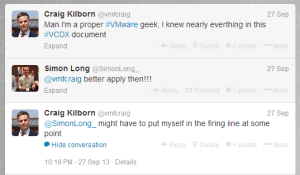
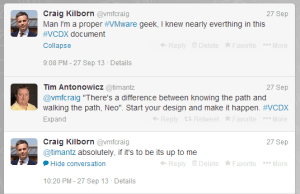
With the right timing, certain tweets resonate and the ones from Simon and Tim did that. It was an ‘ah ha’ or ‘light bulb’ moment, so thanks for that chaps.
After passing the VCAP5-DCD I started the slog towards VCAP5-DCA, I knew it was going to be an up hill struggle. In the same way that someone who administrates a vSphere environment would find the VCAP5-DCD harder.
Studying
I will be the first to admit that I have a family with two young children and a demanding job, so motivating myself to study is difficult as especially when you might want to study your children don’t quite agree!
How do I do it? Well I use my time wisely, for example whilst travelling in the car or on a train I will be listening to Jason Nash’s @TheJasonNash excellent VMware vSphere Optimise & Scale course. I would then repeat the material in the evening when I had access to my lab. Having access to a home lab is crucial, you need to be able to practice every piece of the VCAP5-DCA blueprint.
I didn’t really have an exact study plan, it was more a methodology. For me it’s consistency and discipline, plugging away day in, day out to get through the blueprint. Obviously something has to give and for me it’s my exercise regime.
VCAP5-DCA Blueprint
This is the keys to the kingdom, you need to follow this closely. It is great that the VMware vSphere Optimize & Scale course that Jason Nash provides follows the blueprint closely. This coupled with the fact that he gives some great tips on what he feels can and can’t be included in the exam. After the first run of the VMware vSphere Optimize & Scale course, I would go over the areas I felt I was weakest on.
Next was the excellent ‘Unofficial Official VCAP5-DCA Study Guide‘ by Josh Coen @joshcoen and Jason Langer @jaslanger. A quick read over this and a practice of the CLI commands and I was ready for the final preparation.
Mock Exam
I set myself a mock exam each night for five days leading up to the exam. This mock exam was for me to work on the areas that I weakest (PowerCLI and ESXCLI) until I had them more or less down to a ‘t’. An example mock exam is at the end of this blog post (with answers).
Actual Exam
I knew the exam was going to be brutal, from a time and concentration perspective. Plus I don’t function to well if I’m tired or hungry. So I tried to get a decent nights sleep on Wednesday, about six hours in total.
I had a two hour drive to the exam, during this time, I didn’t listen to anything VMware related, I was of the opinion either I know it or I don’t.
Fifteen minutes before going into the exam, I did the following:
- Ate 2 x Natural Eating Bars, for a bit of a sugar rush but also to try and keep hunger at bay.
- Had 2 x Ibuprofen. I didn’t have a headache, but knew I was going to be exerting myself mentally and wanted to make sure I was on top form for the four hours duration.
Much like the VCAP5-DCD, time is your enemy, you have 26 questions to complete in 3.5 hours (if English is your first language). I had a game plan when I went into the exam, which was to follow Tim Antonowicz VCAP5-DCA Whiteboard Strategy & Tips. In reality I saw the first question and thought I can do this and my game plan erm, didn’t happen!
What I did stick to was using the vSphere Client on the first window, and then only using the vCenter Desktop when I needed to for a task. Looking back this was a important as it saved a fair bit of time.
The first thirteen questions I sailed over, not saying I completed every one, I just moved on if there was a small part I didn’t know the answer to. These are typically items I would look up from a PDF and I don’t like committing them to brain just for the sake of an exam. Then after the first thirteen questions I started to experience the typical VCAP5-DCA lab issues, MAJOR LATENCY! Frustrating to say the least, it really throws you a curve ball as you can’t remember where you have clicked. I found myself getting irritated which resulted in not focusing on the task at hand, wasting time.
I tried going forward onto another task to kick this off, but found that this didn’t help either, especially as some of the remaining tasks involved PowerCLI which actually took five minutes to open!
Final Thoughts
Overall, I didn’t answer three questions, even though I could have answered them with help from a PDF, I knew my time was better spent on the ones I could answer. Another four questions I didn’t fully complete, again because I would have to refer to the PDF and knowing how slowly the exam was responding this wasn’t worth the effort.
When I clicked submit, I reflected thinking if I was an actual vSphere Administrator would this reflect my day to day job and my answer was yes. However, I think that a weeks worth of work is condensed down to 3.5 hours for the exam!
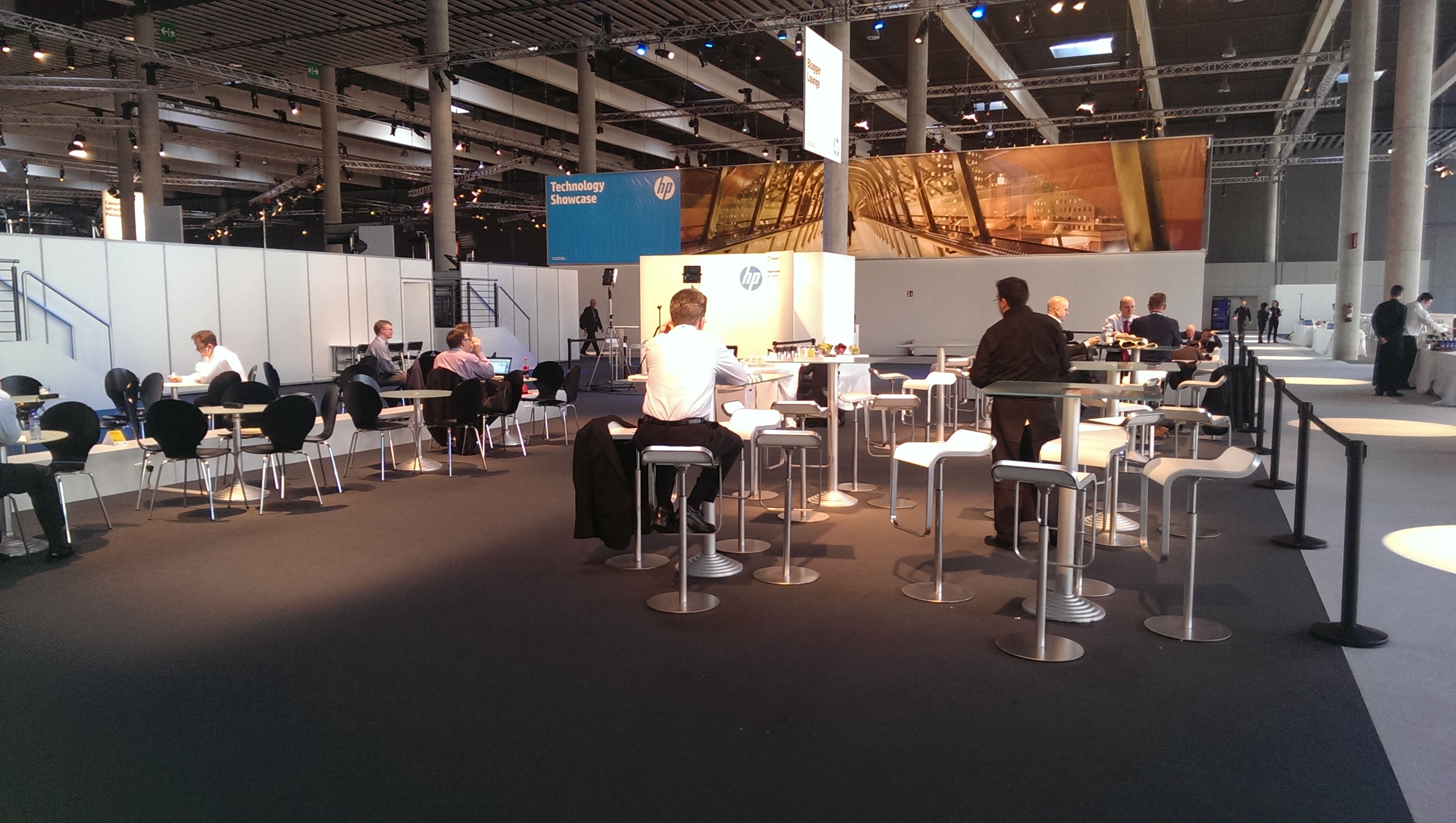
I’m pleased to say that I received the exam results within a eight days of sitting the exam. It was the last day of HP Discover and I was sitting down at dinner with seventeen other people including Philip Sellers @pbsellers, Chris Wahl @chriswahl, Alastair Cooke @DemitasseNZ and Calvin Zito @HPStorageGuy when I received the results. To say I was happy was an understatement!
Mock Exam Examples
These are the mock exam questions that I practiced. Naturally, I’m not able to say if they where in the exam. What I suggest you do is make yourself a practice test the areas you are weakest on.
1. Change Default IOP Limit To 100
esxcli storage nmp device listnaa.6000eb34d2a20c040000000000000365
Device Display Name: VCAP_LUN
Storage Array Type: VMW_SATP_DEFAULT_AA
Storage Array Type Device Config: SATP VMW_SATP_DEFAULT_AA does not support device configuration.
Path Selection Policy: VMW_PSP_RR
Path Selection Policy Device Config: {policy=rr,iops=1000,bytes=10485760,useANO=0;lastPathIndex=2: NumIOsPending=0,numBytesPending=0}
Path Selection Policy Device Custom Config:
Working Paths: vmhba38:C2:T2:L0, vmhba38:C1:T2:L0, vmhba38:C0:T2:L0esxcli storage nmp psp roundrobin deviceconfig set -d naa.6000eb34d2a20c040000000000000365 -t iops -I 100
2. Claim Rules To remove Storage From Host
esxcli storage core claimrule add -r 901 -t location -A vmhba38 -C 2 -T 2 -L 0 -P MASK_PATH
esxcli storage core claimrule add -r 902 -t location -A vmhba38 -C 1 -T 2 -L 0 -P MASK_PATH
esxcli storage core claimrule add -r 903 -t location -A vmhba38 -C 0 -T 2 -L 0 -P MASK_PATHesxcli storage core claimrule list
Rule Class Rule Class Type Plugin Matches
———- —– ——- ——— ——— —————————————-
MP 0 runtime transport NMP transport=usb
MP 1 runtime transport NMP transport=sata
MP 2 runtime transport NMP transport=ide
MP 3 runtime transport NMP transport=block
MP 4 runtime transport NMP transport=unknown
MP 101 runtime vendor MASK_PATH vendor=DELL model=Universal Xport
MP 101 file vendor MASK_PATH vendor=DELL model=Universal Xport
MP 901 file location MASK_PATH adapter=vmhba38 channel=2 target=2 lun=0
MP 902 file location MASK_PATH adapter=vmhba38 channel=1 target=2 lun=0
MP 903 file location MASK_PATH adapter=vmhba38 channel=0 target=2 lun=0
MP 65535 runtime vendor NMP vendor=* model=*esxcli storage core claimrule run
esxcli storage core claimrule load
3. Remove Claim Rules
esxcli storage core claiming unclaim -t location -A vmhba38 -C 0 -T 2 -L 0 -P MASK_PATH
esxcli storage core claiming unclaim -t location -A vmhba38 -C 1 -T 2 -L 0 -P MASK_PATH
esxcli storage core claiming unclaim -t location -A vmhba38 -C 2 -T 2 -L 0 -P MASK_PATH
esxcli storage core claimrule remove -r 901
esxcli storage core claimrule remove -r 902
esxcli storage core claimrule remove -r 903
esxcli storage core claimrule list
Rule Class Rule Class Type Plugin Matches
———- —– ——- ——— ——— —————————————-
MP 0 runtime transport NMP transport=usb
MP 1 runtime transport NMP transport=sata
MP 2 runtime transport NMP transport=ide
MP 3 runtime transport NMP transport=block
MP 4 runtime transport NMP transport=unknown
MP 101 runtime vendor MASK_PATH vendor=DELL model=Universal Xport
MP 101 file vendor MASK_PATH vendor=DELL model=Universal Xport
MP 901 runtime location MASK_PATH adapter=vmhba38 channel=2 target=2 lun=0
MP 902 runtime location MASK_PATH adapter=vmhba38 channel=1 target=2 lun=0
MP 903 runtime location MASK_PATH adapter=vmhba38 channel=0 target=2 lun=0
MP 65535 runtime vendor NMP vendor=* model=*
esxcli storage core claimrule load
esxcli storage core claimrule run
esxcli storage core claimrule list
Rule Class Rule Class Type Plugin Matches
———- —– ——- ——— ——— ———————————
MP 0 runtime transport NMP transport=usb
MP 1 runtime transport NMP transport=sata
MP 2 runtime transport NMP transport=ide
MP 3 runtime transport NMP transport=block
MP 4 runtime transport NMP transport=unknown
MP 101 runtime vendor MASK_PATH vendor=DELL model=Universal Xport
MP 101 file vendor MASK_PATH vendor=DELL model=Universal Xport
MP 65535 runtime vendor NMP vendor=* model=*
4. Add SATP
esxcli storage core plugin registration add -m VCAP_DCA -P VCAP_DCA -N SATP
5. Change Default SATP PSP
esxcli storage nmp satp set -s VMW_SATP_DEFAULT_AA -P VMW_PSP_RR
6. Enable SSD
esxcli storage core device listnaa.6000eb34d2a20c040000000000000365
Display Name: VCAP_LUN
Has Settable Display Name: true
Size: 10240
Device Type: Direct-Access
Multipath Plugin: NMP
Devfs Path: /vmfs/devices/disks/naa.6000eb34d2a20c040000000000000365
Vendor: LEFTHAND
Model: iSCSIDisk
Revision: a500
SCSI Level: 5
Is Pseudo: false
Status: on
Is RDM Capable: true
Is Local: false
Is Removable: false
Is SSD: false
Is Offline: false
Is Perennially Reserved: false
Thin Provisioning Status: unknown
Attached Filters: VAAI_FILTER
VAAI Status: supported
Other UIDs: vml.02000000006000eb34d2a20c040000000000000365695343534944
esxcli storage nmp satp rule add -d naa.6000eb34d2a20c040000000000000365 -s VMW_SATP_DEFAULT_AA -o enable_ssd
esxcli storage core claiming reclaim -d naa.6000eb34d2a20c040000000000000365
7. Remove SSD
esxcli storage nmp satp rule remove -d naa.6000eb34d2a20c040000000000000365 -s VMW_SATP_DEFAULT_AA -o disable_ssd
esxcli storage core claiming reclaim -d naa.6000eb34d2a20c040000000000000365
8. Enable Syslog
esxcli system syslog config set –loghost 10.3.2.203:514
esxcli system syslog reload
9. Add Firewall Rule
esxcli network firewall ruleset set -r syslog -e true
esxcli network firewall refresh
10. ESXTOP Output CSV File
esxtop -b -a -n 10 > vmfs/volumes/ESXi02_RAID1_L01_SAS/esxtop.csv
11. Log locations Host & vCenter
var/log
12. Create New Custom Image
Connect VI-Server
PowerCLI C:> Add-EsxSoftwareDepotAdd-EsxSoftwareDepot
Supply values for the following parameters:
DepotUrl[0]: C:SoftwareDepotupdate-from-esxi5.0-5.0_update03.zip
DepotUrl[1]: C:SoftwareDepotBCD-bna-3.2.3.0-00000-offline_bundle-1326881.zip
DepotUrl[2]: http://VMF-VC01/vSphere-HA-depot
DepotUrl[3]:Depot Url
———
zip:C:SoftwareDepotupdate-from-esxi5.0-5.0_update03.zip?index.xml
zip:C:SoftwareDepotBCD-bna-3.2.3.0-00000-offline_bundle-1326881.zip?index.xml
http://vmf-vc01/vSphere-HA-depot/index.xml
Get-EsxImageProfile | Select NameName
—-
ESXi-5.0.0-20131002001-standard
ESXi-5.0.0-20131001001s-standard
ESXi-5.0.0-20131001001s-no-tools
ESXi-5.0.0-20131002001-no-tools
New-EsxImageProfile -CloneProfile ESXi-5.0.0-20131002001-standard -Name ESXi5U3 -Vendor VMFocusN
Name Vendor Last Modified Acceptance Level
—- —— ————- —————-
ESXi5U3 VMFocus 06/09/2013 0… PartnerSupported
Get-EsxSoftwarePackage
net-bna
vmware-fdm
Add-EsxSoftwarePackageImageProfile: ESXi5U3
SoftwarePackage[0]: net-bna
SoftwarePackage[1]: vmware-fdm
SoftwarePackage[2]:Name Vendor Last Modified Acceptance Level
—- —— ————- —————-
ESXi5U3 VMFocus 04/12/2013 2… PartnerSupported
Export-EsxImageProfile -ImageProfile ESXi5U3 -FilePath C:SoftwareDepotESXi5U3.zip -ExportToBundle
13. Create New Autodeploy Image
New-DeployRule -Name Image_Profile -Item ESXi5U3 -Pattern “ipv4=10.3.2.1-10.3.2.254”
Add-DeployRule Image_Profile
New-DeployRule -Name Cluster_Profile -Item AutoDeploy01 -Pattern “ipv4=10.3.2.1-10.3.2.254”
Add-DeployRule Cluster_Profile
New-DeployRule -Name Host_Profile -Item Host_Profile -Pattern “ipv4=10.3.2.1-10.3.2.254”
Add-DeployRule Host_Profile
14. ESXi Host Update
esxcli software vib update -d vmfs/volumes/ESXi02_RAID1_L01_SAS/ESXi5U3.zip
15. Add Server to VMA
vifp addserver AD-ESXi01 –authpolicy fpauth –username root –password Narlicwes0
16. Target AD-ESXi02
vifptarget -s AD-ESXi02




 VMFocus