vSphere 5.1 – Unable To Deploy VM From Template

Problem Statement

After upgrading to vSphere 5.1 you experience the following error ‘the public key in specification does not match the vCenter public key.  You have to reenter the password in order to proceed’ when trying to deploy new virtual machines from templates.

Error

Issue

The administrators password used to create the virtual machine was encrypted using a different Certificate Authority to the one installed on vCenter.  This means that the password is no longer trusted.

Resolution

In vCenter go to Home > Customization Specification Manager

Customization Specification 01

Edit Specification > 5 Administrator Password > Re Enter Credentials > Save

Customization Specification 02

If your Customization Specification is domain joined you will need to enter your credentials again under 9 Workgroup or Domain

Customization Specification 03

You will now be able to deploy your VM from the template in question.

Upgrade To vCenter 5.1: Unable To Authenticate Directly To ESXi Host Using Active Directory

Problem Statement

After upgrading to vCenter 5.1 and ESXi 5.1 U1, Active Directory authentication to an ESXi Host no longer works.  Using the vSphere Client error message ‘cannot complete login due to incorrect user name or password’ is received.

Authenticate 01

Quick Checks

1. Single Sign On checked, LDAP Active Directory authentication source working for vCenter and another ESXi Host.

2. Permissions checked, ‘Administrators’ Active Directory Security Group applied to vCenter and permissions propagated to child objects.

3. Authentication Services Services, Active Directory being used and Computer Object is valid.

Troubleshooting Steps

I tried to remove the host from Active Directory and re-authenticate.  Hosts and Clusters > Host > Settings > Manage > Authentication Services

Authenticate 02

An error message appeared stating that ‘the user or group named VMFOCUSdomain^admins does not exist’.

Authenticate 03

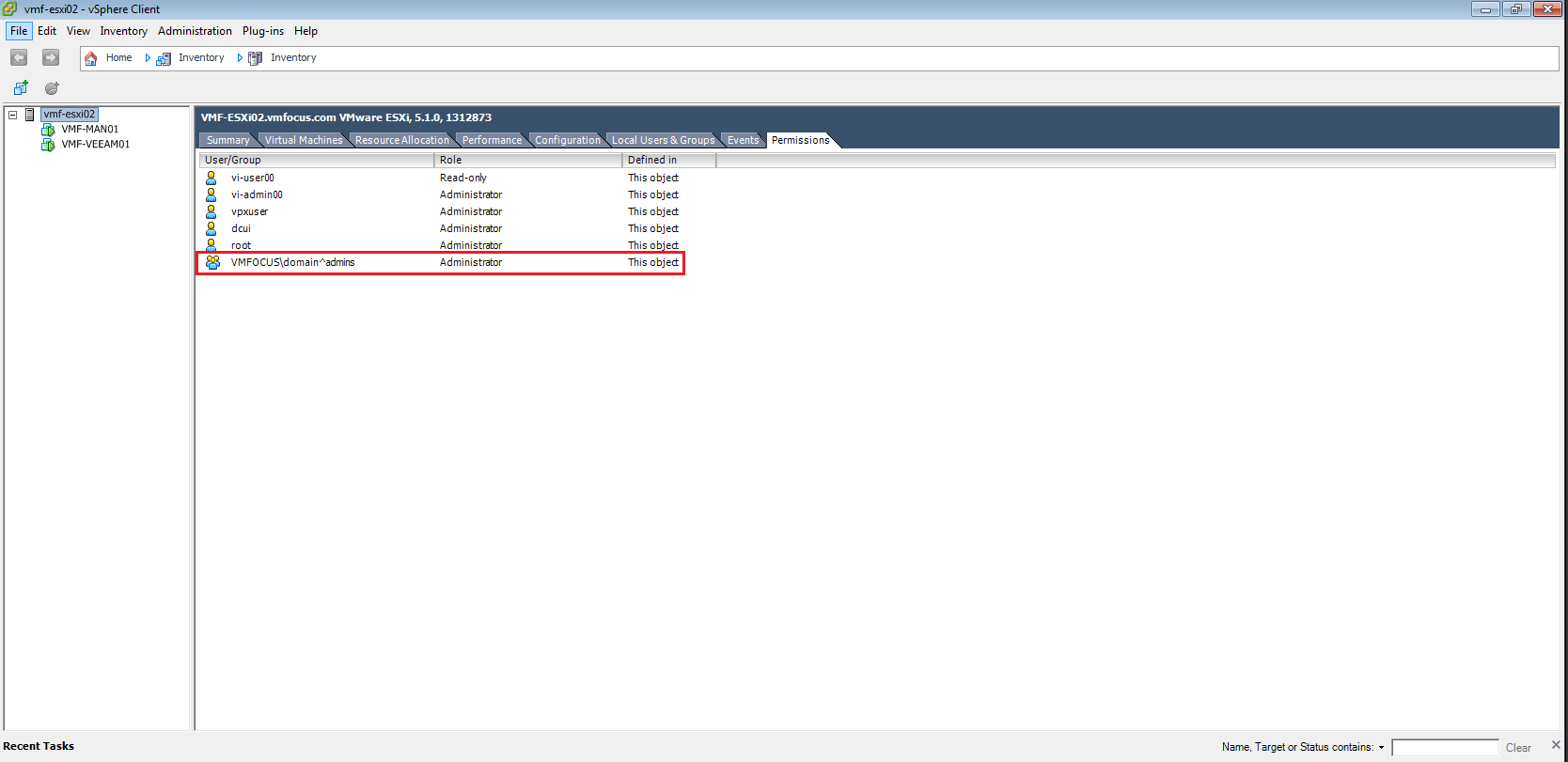
The Permissions tab on the affected ESXi Host didn’t show a VMFOCUSdomain^admins group

Authenticate 04

I added the VMFOCUSDomain Admins group to the top level and inherited permissions.  Another quick try and I wasn’t able to login to the ESXi Host using the vSphere Client.

This time the Leave Domain setting worked.  Plus I also deleted the Computer Object for my ESXi Host from Active Directory.

Next, I rejoined the Domain and tried to login  directly to the ESXi Host directly using Active Directory credentials, which again failed.

Resolution

I added the Domain Admins group directly to the ESXi Host

Authenticate 05

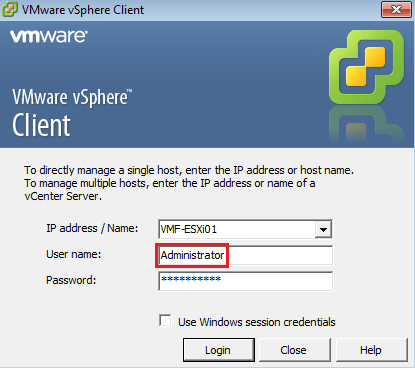
When using the vSphere Client I deselected ‘Use Windows session credentials’ and manually entered Administrator and was able to login successfully!

Authenticate 06

Simple when you know what is causing the issue.

Remove Datastore Call “HostStorageSystem.UnmountVmfsVolume” Error

I was making some changes to the vmfocus.com lab the other day and kept getting a repeated error Call “HostStorageSystem.UnmountVmfsVolume” for object “storageSystem-15” on vCenter Server when I was trying to unmount a VMFS Datastore

Unmount Error 2

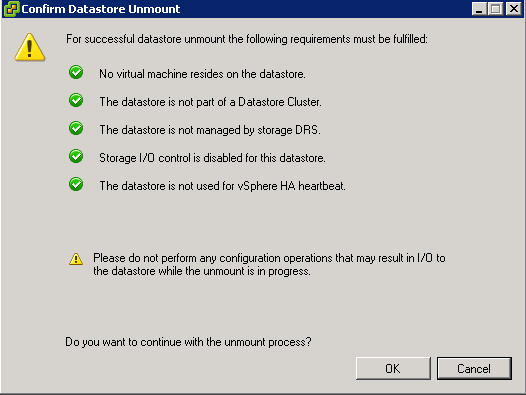
When I went to unmount the VMFS Datastore it met all the relevant criteria.

Unmount Error 1

Resolution

If you are booting from flash device such as a USB or internal SD card, then a VMFS Datastore would have been selected to store your output logs for troubleshooting.

These need to be moved to a VMFS Datastore which you are going to keep.

Note: You will need to make these changes to each ESXi Host

Select ESXi Host > Configuration > Advanced Settings > Syslog > Syslog.global.logDir

Unmount Error 3

Change the paramters to a VMFS Datastore that will remain e.g.

[ESXi01_RAID10_L01_SAS] /scratch/log

Hit OK and then you will have success in unmounting your VMFS Datastore.

Adding HP & Dell VIB to VUM

Depending on your vSphere environment, you will have probably installed your ESXi hosts using a custom ISO from your hardware manufacturer.

Then after this, usually the standard vSphere Update Manager sources are used.

VUM Download

VUM will update your ESXi Host with patches from VMware, however it won’t update perform driver updates to your components e.g. NIC

This is where the vSphere Infrastructure Bundles come into play.  A great explanation of VIBs can be found over here by Kyle Gleed

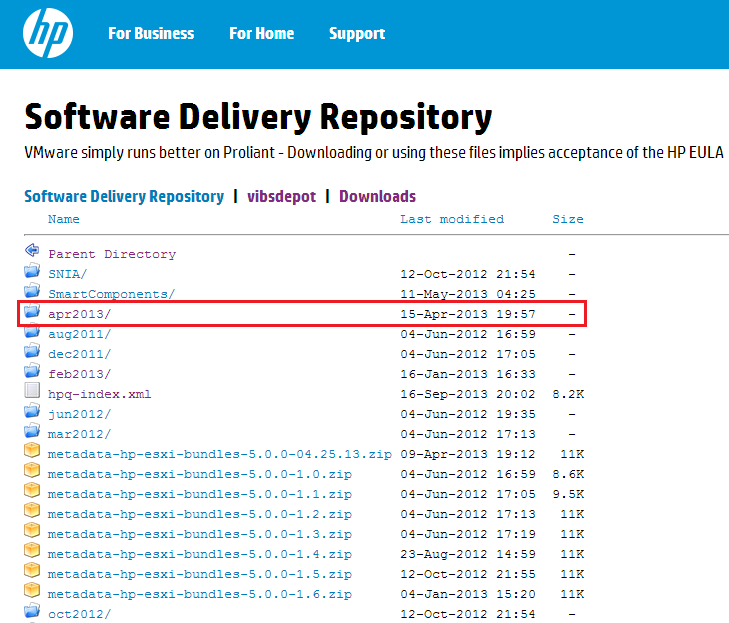
First of all browse to the HP Software Delivery Repository and locate the most recent month (this is a manual check I’m afraid).  In this case it is Apr2013
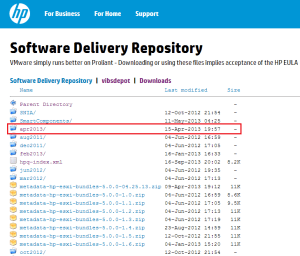
HP VIB 01

Double click Apr2013 and then locate index.xml and double click on this.   What you want is the URL from your browser, in this case it is

http://vibsdepot.hp.com/hpq/apr2013/index.xml

Go into vSphere Update Manager > Administration View > Configuration > Download Settings and Select Add Download Source
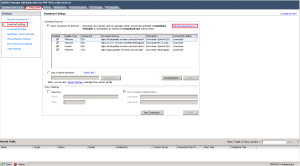
HP VIB 02

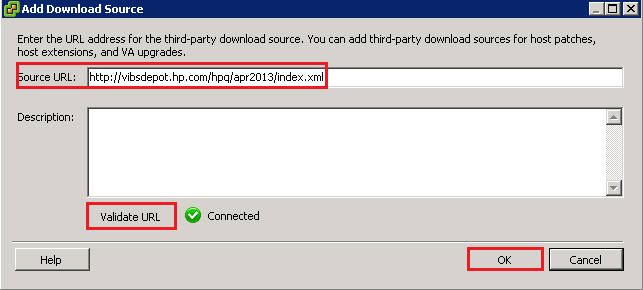
Add in http://vibsdepot.hp.com/hpq/apr2013/index.xml and Validate URL. If successful a Green Tick should appear.
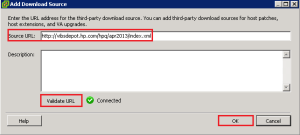
HP VIB 03

The VIB won’t be live for use by VUM until you click Apply

HP VIB 04

Then click ‘Download Now’

We now need to make sure that our Baseline Groups are going to use the HP VIBs as a validation source for VUM Scans

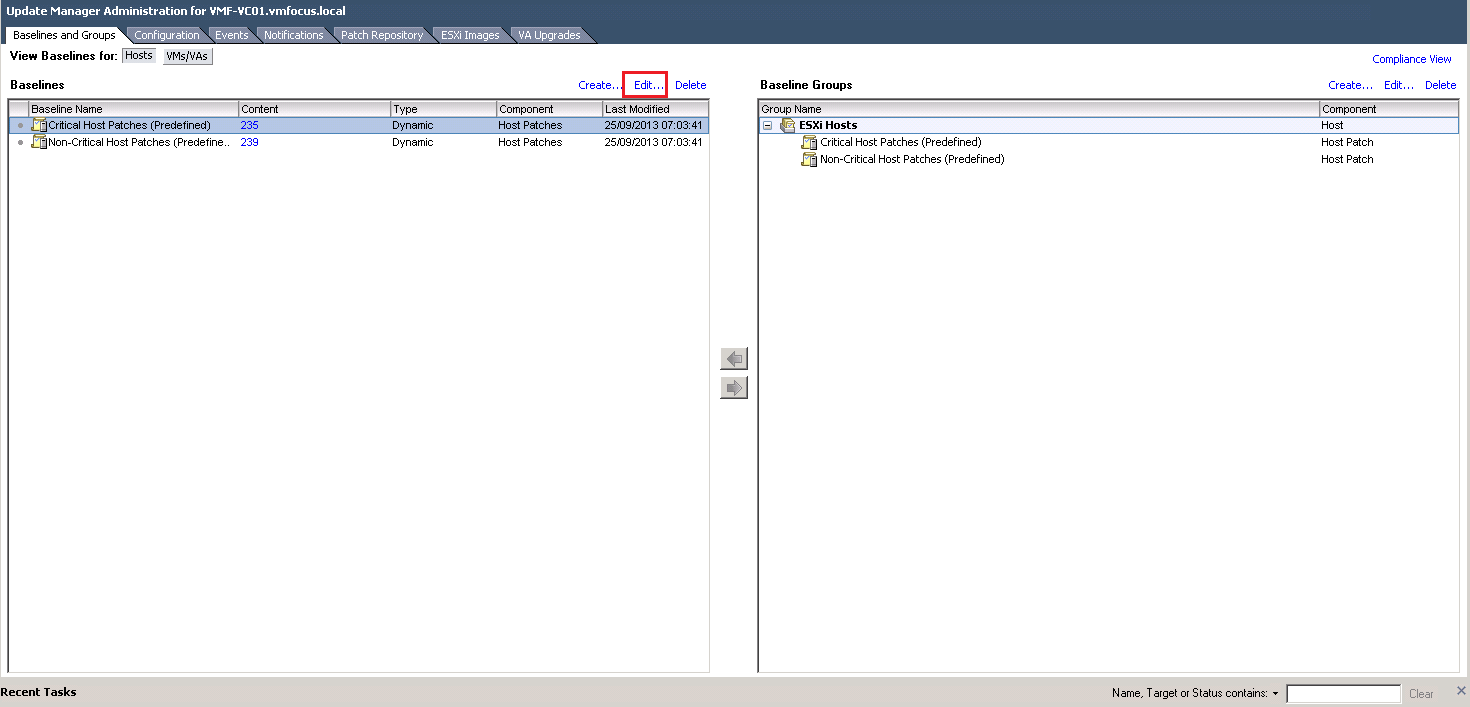
To do this go to Baselines & Groups > Edit

VUM Scans

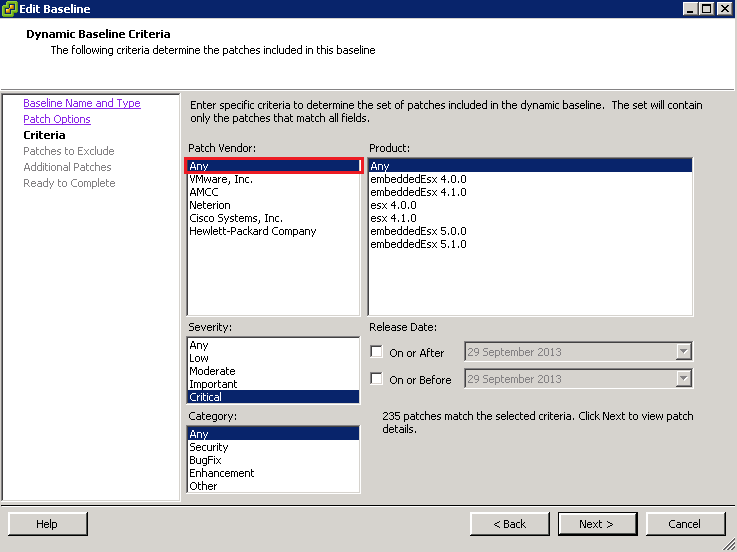
Click Next until you get to Criteria and make sure that Patch Vendor equals Any

VUM Scans 02

Click Next until you get through to Finish.

Hope that helps you manage and maintain your vSphere environment.

##########

Update

Barrie Seed (@vStorage) bought to my attention via Twitter that Dell also have a VIB repository which can be linked to VUM.

The URL is http://vmwaredepot.dell.com/index.xml which validates correctly.
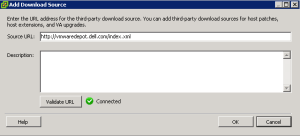
Dell VIB

Get Involved: vSphere 5.5 Available

Unless you have been sleeping in the outer herbrides with no access to the internet, then you would have known that vSphere 5.5 was announced at VMworld.

It has been a few weeks since San Francisco and anticipation on the general availability on vSphere 5.5 has been high.  However the good news is the wait is over, it is here.

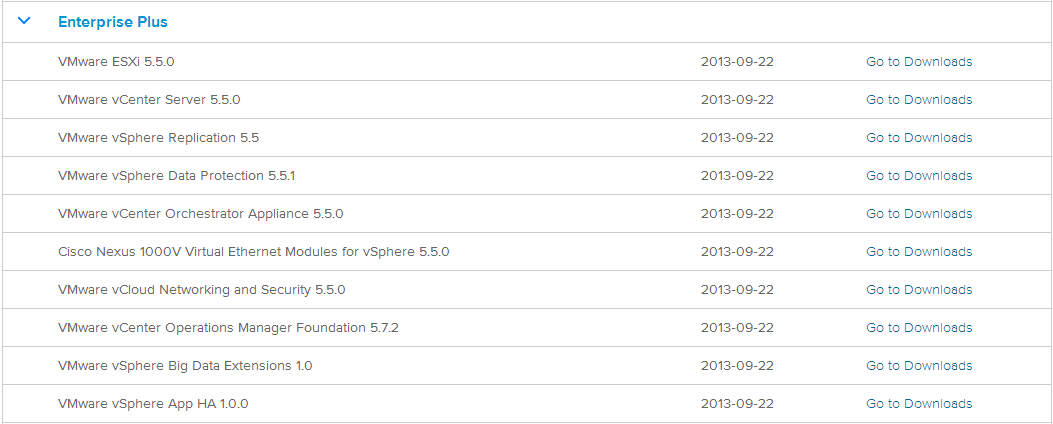
To obtain vSphere 5.5 login here and enjoy the next release of the worlds most popular hypervisor.

vSphere 5.5