HP ProLiant Gen9 – In A Nutshell

HP Gen9This post is based around information provided by all round good guy Adrian Clint who is a Master ASE-in Data Center and Cloud Architect.

It’s purpose is to provide the key information you need to know about the new HP ProLiant Gen9 models.

Server Models

  • DL360p/DL380p “performance” servers are back to being the plain DL360 and DL380 Gen 9
  • DL360e/DL380e “economy” not available, economy functionality is now provided by the DL160 and DL180 Gen 9
  • ML350 Gen9 replaces the ML350/ML370 Gen8
  • BL460 Gen 9 replaces the BL460 Gen 8

Server Information

  • E5-2600/1600 v3 processor CPUs
  • DDR4 2133 MHz
  • 12GB SAS Drives & Controllers
  • No DDR3 compatibility!
  • More drive slots available
  • Smart Array Controllers are now optional parts like the LOMs
  • No Microsoft Windows 2003 Support on Gen9

Firmware

  • SPP Firmware DVD is updated to September 2014, now only supports G6 – Gen9
  • New VMware recipe for September 2014

Onboard Administrator/iLO

  • OA 4.30 firmware is released, support for Gen9 and new adaptors plus minor updates
  • iLO4 2.0 firmware is released, on Gen9 can use a 1 GB non-volatile flash memory partition as if it was an SD-card attached to the server.

Free VMTurbo & Veeam Visio Stencils

Quick post, a couple of vendors have Visio Stencils that can be used for VMware designs.

  • VMTurbo have released both Microsoft Visio and OmniGraffle versions, which can be found over here.
  • Veeam have theirs, which are available for VMware and Hyper V, URL to the link is here

Free stuff is always good, thanks to both vendors for taking the time out to create them.

vCenter: Stuck On Applying Computer Settings

Problem Description

Windows 2008 R2 vCenter stuck on applying computer settings.

Event logs shows the following errors:

Event 4, Security Kerberos, The Kerberos client received a KRB_AP_ERR_MODIFIED error from the server dc01-ad01$. The target name used was GC/DC01-AD01.gascompany.com/gascompany.com. This indicates that the target server failed to decrypt the ticket provided by the client. This can occur when the target server principal name (SPN) is registered on an account other than the account the target service is using. Please ensure that the target SPN is registered on, and only registered on, the account used by the server. This error can also happen when the target service is using a different password for the target service account than what the Kerberos Key Distribution Center (KDC) has for the target service account. Please ensure that the service on the server and the KDC are both updated to use the current password. If the server name is not fully qualified, and the target domain (GASCOMPANY.COM) is different from the client domain (GASCOMPANY.COM), check if there are identically named server accounts in these two domains, or use the fully-qualified name to identify the server.

Event 7038, Service Control Manager, The vpxd service was unable to log on as GASCOMPANYService.vCenter with the currently configured password due to the following error:
The trust relationship between this workstation and the primary domain failed.

Event 7000, Service Control Manager, The VMware VirtualCenter Server service failed to start due to the following error:
The service did not start due to a logon failure.

Resolution

The key is Event 7038, the trust relationship between this workstation and the primary domain failed.  To resolve the issue perform the following steps:

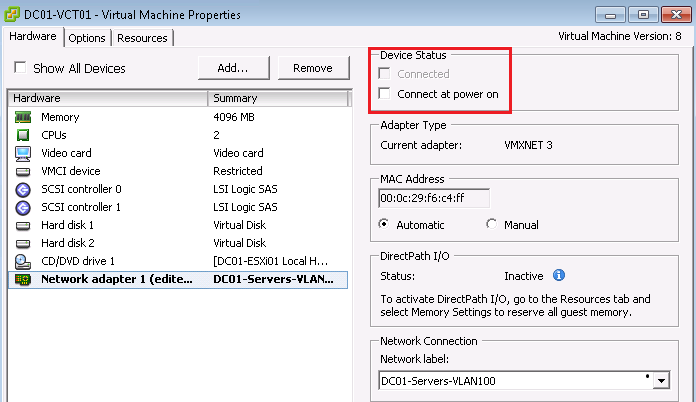
  • Power off vCenter and edit settings to disconnect the Network Adapter.  By doing this, you will be able to get to the login screen.

DC01-VCT01 NIC

  • Login to vCenter using Local Credentials (in my case this was DC01-VCT01Administrator).  Re-enable Network Adapter and perform a ping using DNS to another server to confirm that the TCP/IP network stack is functioning

Now that we are in the server, it is time to resolve the actual issue, being the trust relationship with the primary domain.

  • Run CMD as Administrator
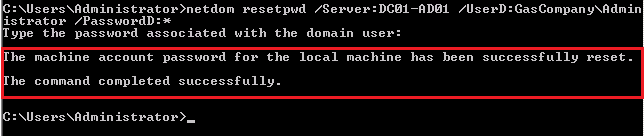
  • Type netdom resetpwd /Server:DomainControllerName /UserD:DomainAdministrator /PasswordD:*

You will be prompted to enter your password.  If all details are correct, you will be prompted to say machine account has been reset.

NetDom

  • Reboot your vCenter

When you login you will now see the prompt to state ‘the trust relationship between this workstation and the primary domain failed’

  • Select > Switch User and login using Local Credentials
  • Remove vCenter from the domain and join to a Workgroup
  • Remove the vCenter Computer Object from Active Directory
  • Reboot vCenter
  • Join the domain

vSphere ROBO Editions

One of the items that I wanted to gain some clarity on, was the new edition of the vSphere Remote Office Branch Office (ROBO) Editions which have been announced at VMorld 2014.  Hopefully this post will go some way towards clarifying what you do and don’t get.

Licensing Types

vSphere ROBO will come in two flavours, Standard and Advanced.

Item vSphere ROBO Standard vSphere ROBO Advanced
Licensing 25 Virtual Machine Pack 25 Virtual Machine Pack
Features High AvailabilityvMotion

vSphere Data Protection

vSphere Replication

vSphere EndPoint

Fault Tolerance

Storage vMotion

High AvailabilityvMotion

vSphere Data Protection

vSphere Replication

vSphere EndPoint

Fault Tolerance

Storage vMotion

Distributed Switch

Host Profiles

Auto Deploy

Licensing Limitatons

  • Maximum of 25 VM’s Per Site, deployment options include:
    • 1 Site with 25 x VM’s
    • 25 Sites with 1 x VM
  • No vCenter
    • Need to purchase vCenter Standard separately

What About vSphere Essentials Editions?

vSphere Essentials and Essentials Plus is going end of life in the next couple of months.  I assume that if a customer is in support they will be upgraded to vSphere ROBO standard or Advanced with a ‘free vCenter Standard license’.

When this information is released, I will update this post to reflect the details.

Thoughts

Often clients won’t pay for vSphere Enterprise Plus for ROBO, which means that vSphere Standard is the de-facto choice.  This results in higher operational costs as you don’t have access to Host Profiles or Virtual Distributed Switches.

Having the ability to purchase 1 x 25VM pack to cover a number of ESXi Hosts across sites, will be much more cost effective with the list price of vShere Standard being approximately £1,000 versus £2,700 for vSphere Advanced Edition (1 US Dollar = 0.60 Britsh Pounds).

What I think would be even better is if VSAN was included in the package!

HP StoreVirtual & SRM – Case Of The Missing Datastores

Problem Statement

Datastores do not show under Array Managers > Devices and therefore you cannot create Protection Groups.

No Datastores

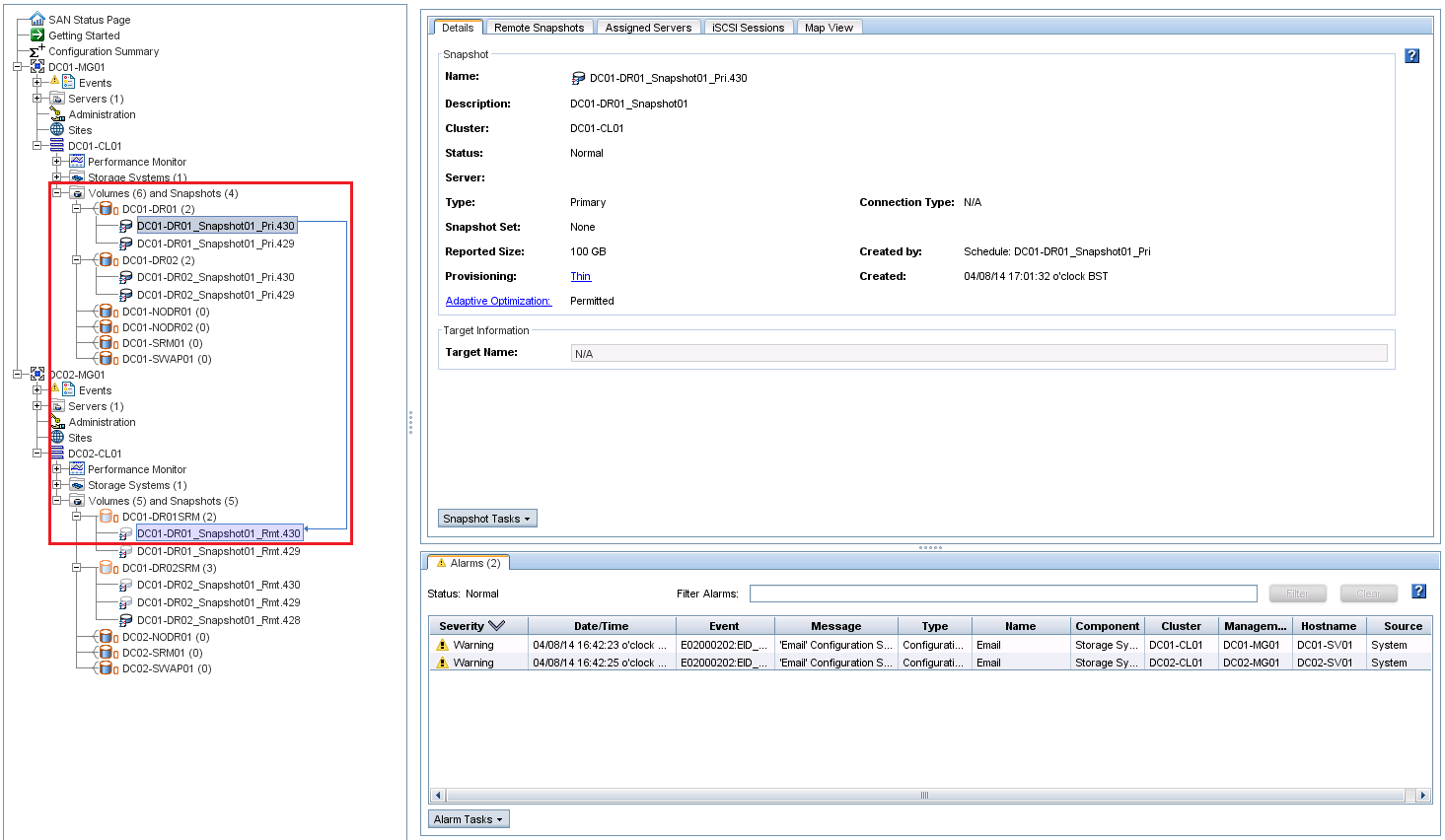
Replicated datastores have virtual machines within them and replication has completed within the Centralized Management Console

CMC Console

vSphere Console

Methodology

  • HP StoreVirtual SRA installed from HP StoreVirtual Storage
  • SRM server has an interface on the iSCSI subnet
  • .NET Framework 3.5.1 installed on SRM Server as without this you won’t be able to discover the Storage Replication Adapter

Solution

Even though your datastores are showing correctly and are replicating, a lower case character match is required between your vSphere iSCSI and the CMC initiator node name.

vSphere IQN

CMC IQN


In my case the vSphere IQN contained DC01-ESXi01 in capitals, whereas the CMC IQN contained dc01-esxi01.

  • If you change the IQN in vSphere to the same name but in lowercase characters, connectivity remains
  • Perform a rescan of Storage Devices and VMFS Volumes
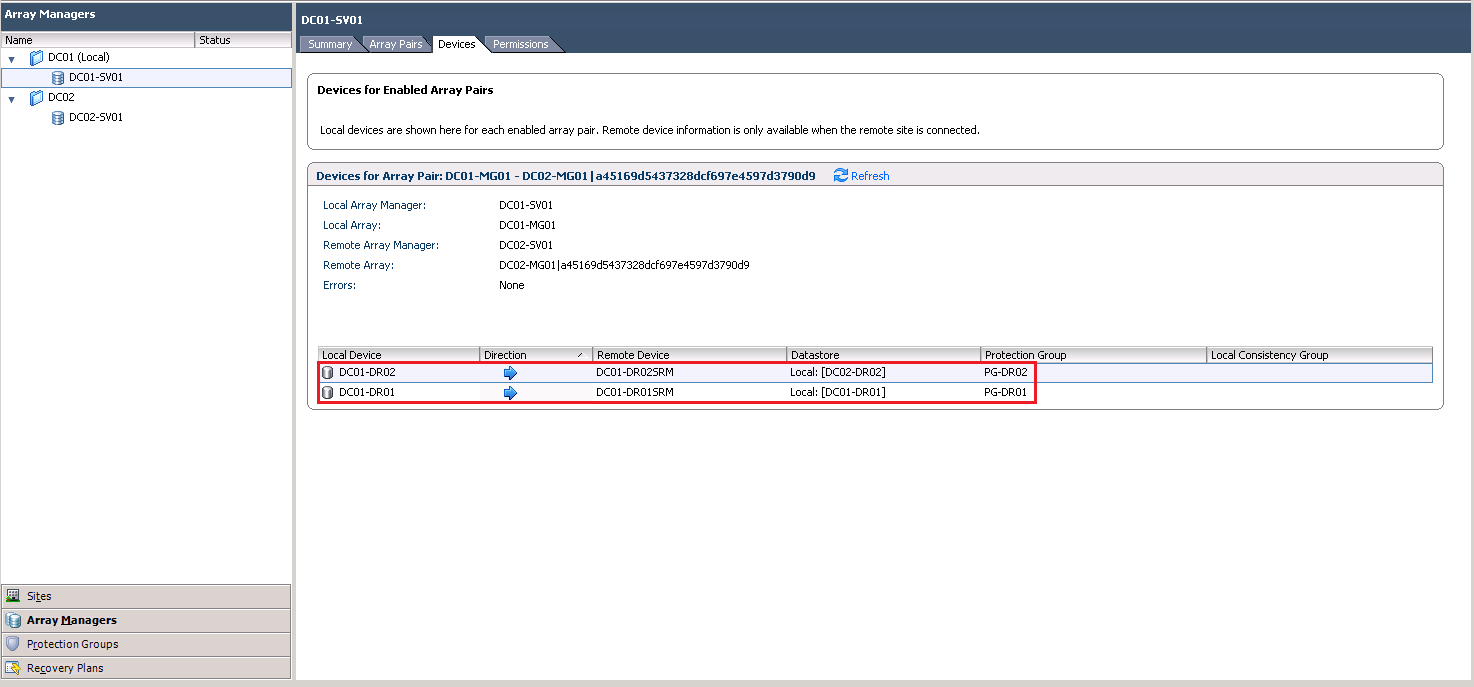
  • Verify that datastores are now showing under Array Managers > Devices
  • Create Protection Groups

Datstores Working