VCAP5-DCD: Passed

vcap5-dcdBackground

Before I go into the VCAP5-DCD, it’s important for me to give you some background about what I do.  Over the past two and a bit years I have been working in pre sales designing infrastructure solutions based on vSphere.  Now the good news is that I was responsible for the whole piece, storage, networking, vSphere and applications.  The company I worked for was mainly focused on SMB’s with the number of ESXi Hosts ranging from two to sixteen, with them always being in a single cluster.  The downside was I was the only vSphere person, so I never really knew if what I was doing right as I had no one to bounce ideas with.

We had a great technical team, but we didn’t really have a ‘official design methodology’.  However we had without knowing it been following some of the principles of VMware design, albeit unknowingly.

Step forward to the last two months, when I joined my current employer.  These guys have a design methodology which fits exactly to the VMware design methodology.  I had been involved in a couple of projects and had completed various documents after engaging with clients using Requirements, Assumptions, Risks and Constraints.  It was and still is a steep learning curve from a process perspective, technically, I think I’m OK.

The great thing is, they have a number of vSphere people, who are always willing to spend five minutes with you to ‘chew the fat’ and go over a design or validate a document.

Chain of Events

One of my colleagues is defending the VCDX at Barcelona (hope he nails it) and asked me to review his design and documentation.  Having spent a number of nights reading and reviewing this, I thought maybe I could do this.  When we sat down and discussed his design, he stated I should do the VCAP5-DCD, which strangely enough gave me the confidence to think about it.

I hadn’t really given much thought to doing the VCAP5-DCD before this point, apart from it was something I knew I wanted to do, however a chain of events then started which seemed to align perfectly.

Event 1 – Gregg Robertson @GreggRobertson5 twitted a VCAP exam voucher for 70% off any VCAP Exam

Event 2 – I had a meeting on Wednesday morning, which my colleague was unable to attend, which meant I had Wednesday afternoon free and also Thursday morning which was left for action points.  With this free time and discount voucher, I thought why not give the VCAP5-DCD a whirl!

Event 3 – I was in Bracknell on Thursday in the afternoon, and I happened to check Pearson Vue website, who have a testing centre and spaces for VCAP5-DCD.  The stars had aligned, the exam was booked.

Preparation

On Wednesday I purchased Paul McSharry @pmcsharry VMware Press Official Guide VCAP5-DCD and read this back to back and did all the tests.  I also downloaded the VCAP5-DCD Study Pack which was put together by Steven Dunne @steveied_82.  I had actually downloaded this earlier on in the week, but when I looked at it I thought, crikey there is so much to read!

Out of all the information in this pack, I read the VCAP5-DCD Study Outline by Jason Langer @jaslanger and read up (quickly as it was late) any areas I needed to polish up on.

I also read a number of blog sites about the VCAP5-DCD exam experience.

The Exam

I knew the exam was going to be brutal, from a time and concentration perspective.  Plus I don’t function to well if I’m tired or hungry.  So I tried to get a decent nights sleep on Wednesday, about six hours in total.

I had a two hour drive to the exam, during this time, I didn’t listen to anything VMware related, I was of the opinion either I know it or I don’t.

Fifteen minutes before going into the exam, I did the following:

  • Ate 2 x Natural Eating Bars, for a bit of a sugar rush but also to try and keep hunger at bay.
  • Had 2 x Ibuprofen.  I didn’t have  a headache, but knew I was going to be exerting myself mentally and wanted to make sure I was on top form for the four hours duration.

My exam had 100 questions with 6 designs and 94 questions.  I made a note at the top of my plastic sheet with 6 designs and as I covered one, I made a note so that I knew how many where left as time management was key.

How I tackled the questions was a bit different.  I started reading at the paragraph above the answers, this was key as this stated what you needed to do.  On nearly every question you have the ‘background gumph’ and loads of information, however not all of this is needed, so going to the paragraph above the answers told you what information you really needed to extract to be able to answer.

I finished the exam with about 30 seconds to spare, and was really under pressure on the last five questions.  To be fair, I was fatigued and mentally broken when I clicked End Exam and in fact I put my hands in my head and closed my eyes.  What seemed like a long time, but was probably only a few seconds I opened y eyes and saw the words ‘Congratulation you have passed the VCAP5-DCD’.  My score wasn’t the best 328, but I’m happy that I passed.
VMworld Barcelona 2013: My Plans

VMworldBlogSeries-2013-HeaderI’m fortunate enough to be going to VMworld Barcelona 2013 (thanks to my employer for footing the bill).  This is my second VMworld and as such my plans are completely different to last years.

If you are going to VMworld for the first time this year, it’s an amazing experience, but really intense.  What do I mean by that? Well first of all you have an array of great sessions, which you will want to be concentrating on to get the most from them, then their are the new products which you will no doubt want to see a demo of, then their are the parties in the evening which you most likely be attending, then you have the hands on labs, you see loads of stuff to do!

Last year, I came back from VMworld feeling like I needed a holiday, it was an overload!

My plan’s for this year are really different, I have a few work things to take care of such as client entertainment and meet various vendors.  However, I haven’t booked any seminars, on purpose.  The reason for this, is I want to try and spend that time networking, it would be great to meet loads of folks from Twitter and also to get to see some of the ‘cool tech’ on the stands, which I missed out on last year.  Plus I want to try and spend some time over at the ‘bloggers area’ with the guys ‘n’ gals who take time out to put together awesome community content.

On a side note, a few tips:

  • Wear some shoes/trainers which are comfortable, you will be doing an awful lot of walking
  • It’s going to be about 22 to 24 degrees so pack accordingly
  • Remember their is a free bus from Barcelona Airport directly to VMworld when you11 arrive
  • Don’t pack to much stuff, think of you luggage allowance with all that SWAG you will accumulate
  • Really important, don’t forget to pack a European travel charger
  • Your phone/tablet are going to get hit hard, make sure you bring your charger with you to the conference each day.

So if you are going, look at for the ‘Brit’ who might be sporting a @vmfcraig top, don’t be shy come over and say hi!

Remove Datastore Call “HostStorageSystem.UnmountVmfsVolume” Error

I was making some changes to the vmfocus.com lab the other day and kept getting a repeated error Call “HostStorageSystem.UnmountVmfsVolume” for object “storageSystem-15” on vCenter Server when I was trying to unmount a VMFS Datastore

Unmount Error 2

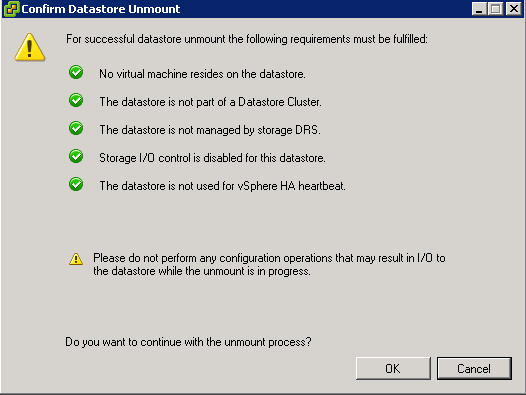
When I went to unmount the VMFS Datastore it met all the relevant criteria.

Unmount Error 1

Resolution

If you are booting from flash device such as a USB or internal SD card, then a VMFS Datastore would have been selected to store your output logs for troubleshooting.

These need to be moved to a VMFS Datastore which you are going to keep.

Note: You will need to make these changes to each ESXi Host

Select ESXi Host > Configuration > Advanced Settings > Syslog > Syslog.global.logDir

Unmount Error 3

Change the paramters to a VMFS Datastore that will remain e.g.

[ESXi01_RAID10_L01_SAS] /scratch/log

Hit OK and then you will have success in unmounting your VMFS Datastore.

Adding HP & Dell VIB to VUM

Depending on your vSphere environment, you will have probably installed your ESXi hosts using a custom ISO from your hardware manufacturer.

Then after this, usually the standard vSphere Update Manager sources are used.

VUM Download

VUM will update your ESXi Host with patches from VMware, however it won’t update perform driver updates to your components e.g. NIC

This is where the vSphere Infrastructure Bundles come into play.  A great explanation of VIBs can be found over here by Kyle Gleed

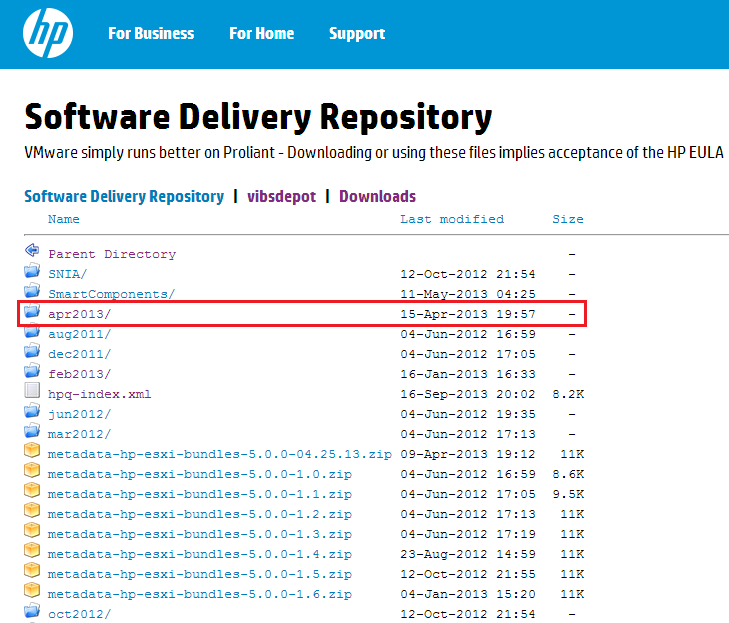
First of all browse to the HP Software Delivery Repository and locate the most recent month (this is a manual check I’m afraid).  In this case it is Apr2013

HP VIB 01

Double click Apr2013 and then locate index.xml and double click on this.   What you want is the URL from your browser, in this case it is

http://vibsdepot.hp.com/hpq/apr2013/index.xml

Go into vSphere Update Manager > Administration View > Configuration > Download Settings and Select Add Download Source

HP VIB 02

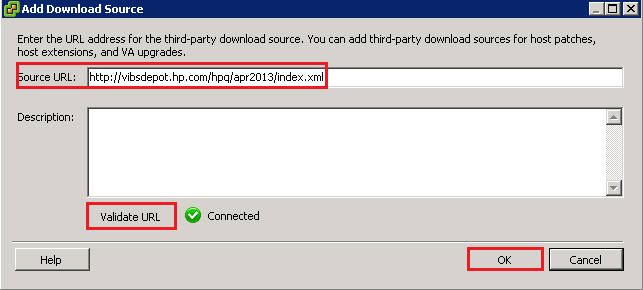
Add in http://vibsdepot.hp.com/hpq/apr2013/index.xml and Validate URL. If successful a Green Tick should appear.

HP VIB 03

The VIB won’t be live for use by VUM until you click Apply

HP VIB 04

Then click ‘Download Now’

We now need to make sure that our Baseline Groups are going to use the HP VIBs as a validation source for VUM Scans

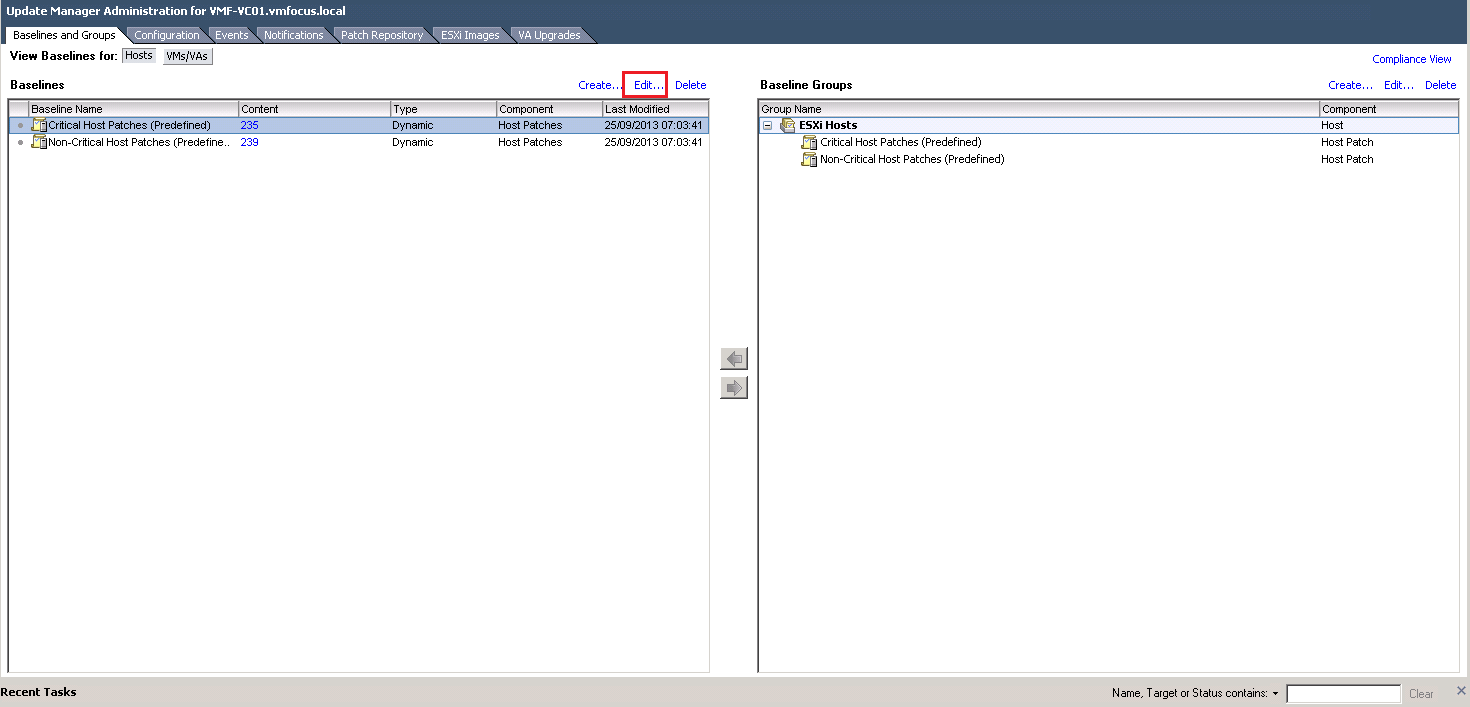
To do this go to Baselines & Groups > Edit

VUM Scans

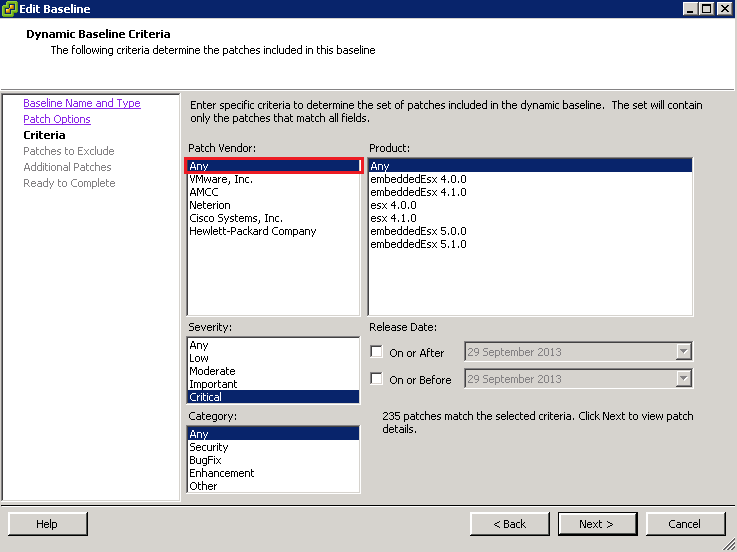
Click Next until you get to Criteria and make sure that Patch Vendor equals Any

VUM Scans 02

Click Next until you get through to Finish.

Hope that helps you manage and maintain your vSphere environment.

##########

Update

Barrie Seed (@vStorage) bought to my attention via Twitter that Dell also have a VIB repository which can be linked to VUM.

The URL is http://vmwaredepot.dell.com/index.xml which validates correctly.

Dell VIB

Changing vCenter IP Address: VUM Error Fix

After changing the vCenter IP Address, I ran into a a couple of issues with VUM.  Which generated the following error messages:

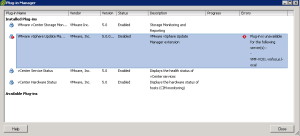
Plug-In Manager Plug-in is unavailable for the following server(s): – VMF-VC01.vmfocus.local

VUM Error 01

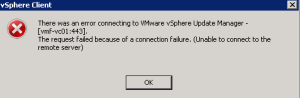
vSphere Client There was an error connecting to VMware vSphere Update Manager – [vmf-vc01:443].  The request failed because of a connection failure. (Unable to connect to the remote server).

VUM Error 02

Steps Taken To Resolve – DNS

The first step was to double check my DNS, I had already performed the tasks below after changing vCenter IP Address.

  • Removed reverse DNS zone for old vCenter subnet and added new reverse DNS zone for correct subnet
  • Updated DNS for ESXi Hosts & vCenter
  • Cleared DNS Cache on vCenter and Domain Controller

Steps Taken To Resolve – VMware KB

The next step was to make any amendments to VUM.  This consisted of the following:

  • Checked DSN to VUM database continued to work
  • Stopped vSphere Update manager Service
  • Followed the instructions under VMwareKB101322

Both of the original errors continued to persist, so the next step was to follow a KB for vSphere 4.1

  • Stopped vSphere Update manager Service
  • Followed the instructions under VMwareKB1014639

Again this did not resolve the issue, however it did mention a vCenter Update Manager Utility.

Resolution

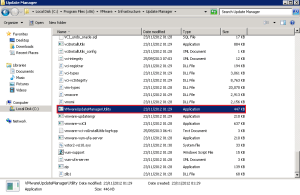
Lunch VMwareUpdateManagerUtility.exe which is located in C:Program Files (x86)VMwareInfrastructureUpdate Manager

VUM Fix 01

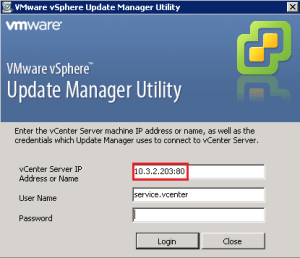
Connect to vCenter using the correct IP Address

VUM Fix 02

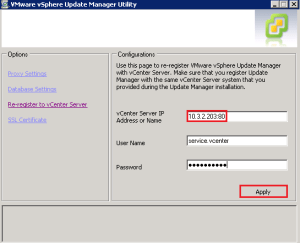
Select Re-register to vCenter Server and enter the new IP Address of vCenter and your credentials.  Click Apply

VUM Fix 03

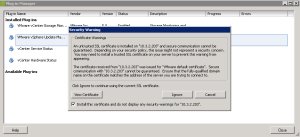
Once complete, re-enable the VMware vSphere Update Manager Plug-In and you should receive the trusted Security Warning dialogue box. Which means vCenter and VUM can talk, everyone’s a winner!

VUM Working